Add Custom Fonts

Starting from WordPress 7.0, you can upload Custom Fonts or install Google Fonts directly from your WordPress admin panel > Appearance > Fonts. For example:
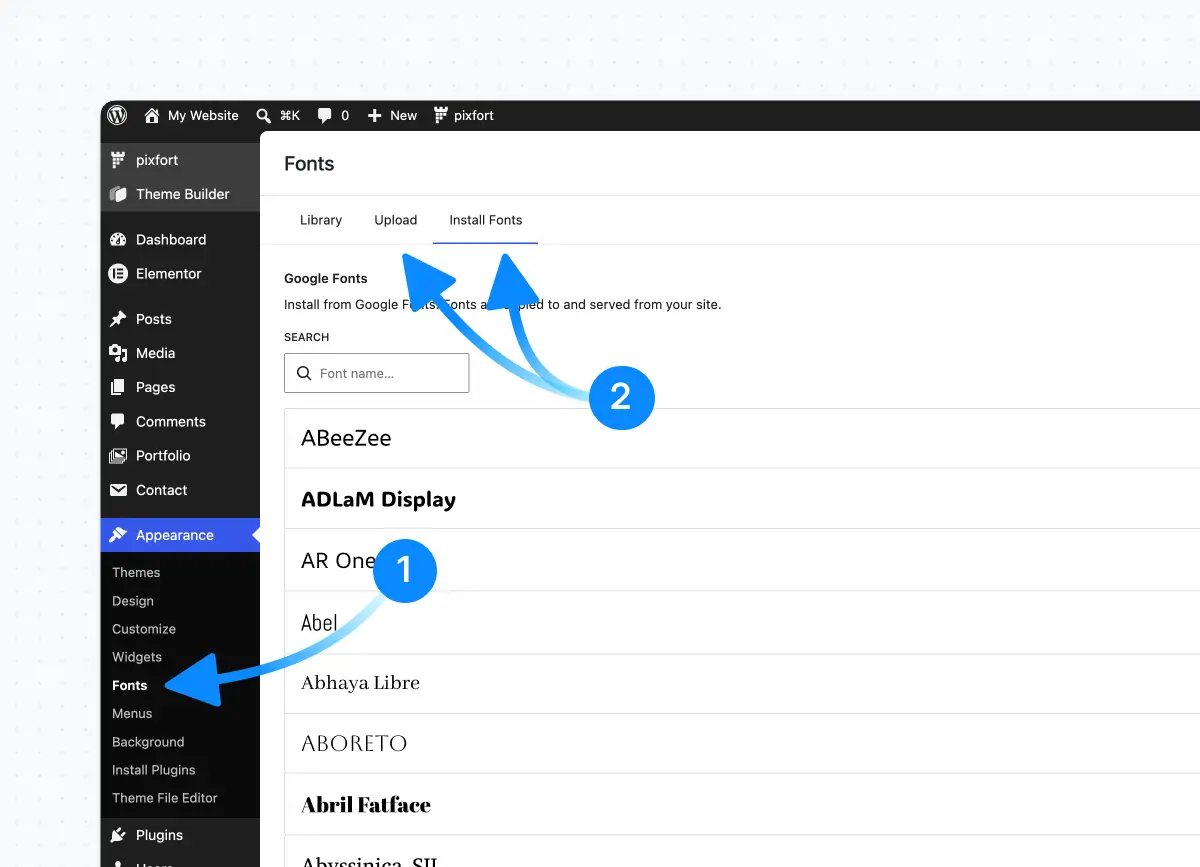
Upload or install custom fonts

After that, open the Theme options > Typography > General, and you will be able to select the custom font you added via the WordPress Fonts page as Body or Heading font for the theme. For example:

Theme Options > Typography > General

pixfort
pixfort
Support Team

Hey, this is pixfort support team, if you still need help you can always reach us via your pixfort account

Related Posts

Search

Start typing to search for a specific article on our website

Made with Popup Builder
Image link
Hey there

Search for a specific article

Get started

Check useful guides to get started

Still need Help?

Send us a support message

Our usual reply time: 1 Business day